Define the task in plain language before examining vendors. “Improve productivity” is not a useful test goal; “produce an accurate first draft of support replies from our approved knowledge base” can be tested. Identify what must remain under human control.
Create a representative test set
Use examples from common tasks, difficult edge cases and situations where a confident wrong answer would be harmful. Remove or replace sensitive information unless you have assessed data handling. Keep the same tests when comparing multiple products.
Score quality and reliability
Measure factual accuracy, usefulness, consistency, response time and how often staff must intervene. A single impressive demonstration may be an outlier. Record both successes and failures, including cases where the system invents sources or ignores instructions.
Check privacy, security and governance
Read the provider’s data handling and retention terms, access controls and integration permissions. Review how administrators can disable accounts, audit activity and restrict data sources. High-impact workflows may require specialist legal or compliance review.
Calculate the real price
Consider subscription tiers, usage-based fees, setup effort, training, editing time, integration maintenance and the cost of mistakes. Compare the AI-enabled workflow against a simpler non-AI baseline; automation is not worthwhile when it increases total work.
Pilot before scaling
Run the tool with a limited group and clear approval steps. Collect user feedback and monitor measurable outcomes for a defined period. Establish a rollback plan if accuracy, costs or vendor availability change.
Review continuously
Tools, prices and model behavior can change. Repeat representative evaluations periodically, particularly after major vendor updates or changes in company data. Assign an accountable owner for quality and incident response.
Quick answer: how should a team evaluate an AI tool?
Start with one measurable business task, compare the tool against the current process, test it on representative examples, review data handling and total costs, then run a time-limited pilot with human oversight. A polished demonstration or a vendor’s headline benchmark is not enough to prove suitability for your team.
Step 1: Define a decision before selecting vendors
Write a one-sentence problem statement: “Our support team needs to draft accurate replies to routine questions using approved product documentation.” Specify who will use the tool, how often the task occurs and what an acceptable output means. Identify forbidden actions such as sending messages, changing accounts or publishing content without approval. Establish a baseline by recording completion time and correction rates with the current process.
Step 2: Build a practical evaluation scorecard
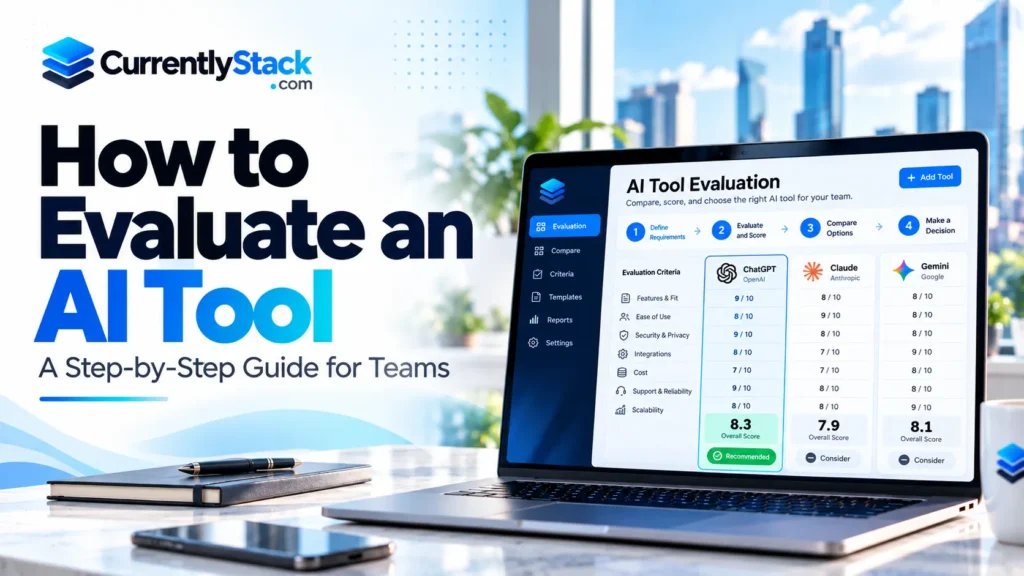
Use the same scenarios and scoring rules for every candidate. For example, a small-team pilot might give workflow fit 25 points, output quality 25, security and governance 20, usability 10, integration and portability 10, and total cost 10. These weights are illustrative—not an industry standard—and should change with the consequences of errors.
| Criterion | What to verify | Example evidence |
|---|---|---|
| Workflow fit | Completes the task with required approvals | Observed end-to-end test |
| Accuracy | Claims supported by approved sources | Reviewed sample answers |
| Security | Access, retention and permission controls | Vendor documentation and configuration |
| Usability | Staff can spot and correct failures | User observations |
| Integration | Works with the existing stack and exports data | Controlled integration test |
| Cost | Subscription plus training and review time | Written cost assumptions |
Step 3: Design a test set that exposes real problems
Create 30 to 50 scenarios for an initial small-team assessment, then expand as needed. Include routine tasks, missing information, ambiguous requests, conflicting documents, unusual formatting and requests that the AI must refuse or escalate. Keep a reference answer or acceptance checklist for each scenario. Remove real customer details unless their use has been authorized and reviewed. Document the software version, configuration and test date so a later run can be compared fairly.
Step 4: Calculate error rates carefully
For a defined set of tests, task pass rate = tasks meeting every required acceptance criterion ÷ total evaluated tasks × 100. Also separately report unsupported claims, human edits required, handling time and failures to escalate. Report the sample size and how answers were scored; a score from a few dozen scenarios must not be described as a universal measure of the model’s accuracy. For consequential decisions, bring in domain experts and stronger review procedures.
Step 5: Compare the AI workflow with a non-AI baseline
Count setup hours, monthly fees, integration maintenance, additional quality assurance, exception handling and training. Compare the finished, reviewed output rather than the initial generation time. An AI service that produces a draft quickly but requires extensive correction might not save the team time overall.
Step 6: Pilot with guardrails and a rollback plan
Choose a small group and set a review date. Start with read-only access and require human approval before external publication, customer replies or changes to live business records. Assign one responsible owner for monitoring failures, unexpected costs and access permissions. Establish a stop condition before the pilot starts.
Step 7: Reassess after deployment
Re-test after model updates, new integrations or changes to reference material. Maintain a log of significant errors and documented fixes. The NIST AI Risk Management Framework provides a useful foundation for risk governance, and its Generative AI Profile covers generative-AI-specific considerations.
Common evaluation mistakes
- Choosing a product from one impressive demonstration.
- Using only easy prompts instead of real edge cases.
- Measuring speed but ignoring correction work.
- Submitting confidential information to an unapproved service.
- Treating a vendor’s benchmark as proof of local performance.
- Skipping a recovery plan when a system or integration changes.
Frequently asked questions
How many tests are enough for an AI pilot?
A few dozen representative scenarios can expose obvious problems in an exploratory pilot. They cannot prove a system is safe or accurate for every situation. Expand testing according to risk, diversity of inputs and consequences of failure.
Should we choose the AI tool with the highest benchmark score?
Not automatically. Benchmarks can help narrow options, but performance on your workflows, data, security requirements and budget is the more relevant comparison.
Can AI evaluate its own answers?
AI-assisted scoring may help triage large sets, but factual claims and higher-impact decisions still need appropriately qualified human checks and independent evidence.
Further reading on CurrentlyStack
For the wider business context, read how AI is transforming business. See our small business technology roadmap to prioritize implementation alongside other operational needs.
Editorial methodology: This article presents an evaluation framework, not measured results from a proprietary product test. Suggested sample sizes and weightings are illustrative and should be adapted to the task.